Your Swevo profile is the first thing people see before they challenge you, book you or tune in to watch you argue. It is your first impression, your highlight reel and your calling card, all on one page.
This guide walks through every part of the debater profile, from your photo to your public link, and shows you how to earn 50 free Coins along the way.
Prefer to watch? Here is the whole walkthrough in under three minutes.
A finished profile tells a visitor who you are in a few seconds: a clear photo, a verified badge, where you are based, what you charge for a debate, a short bio, the topics you love to argue about, your record, and up to three badges you have chosen to show off.
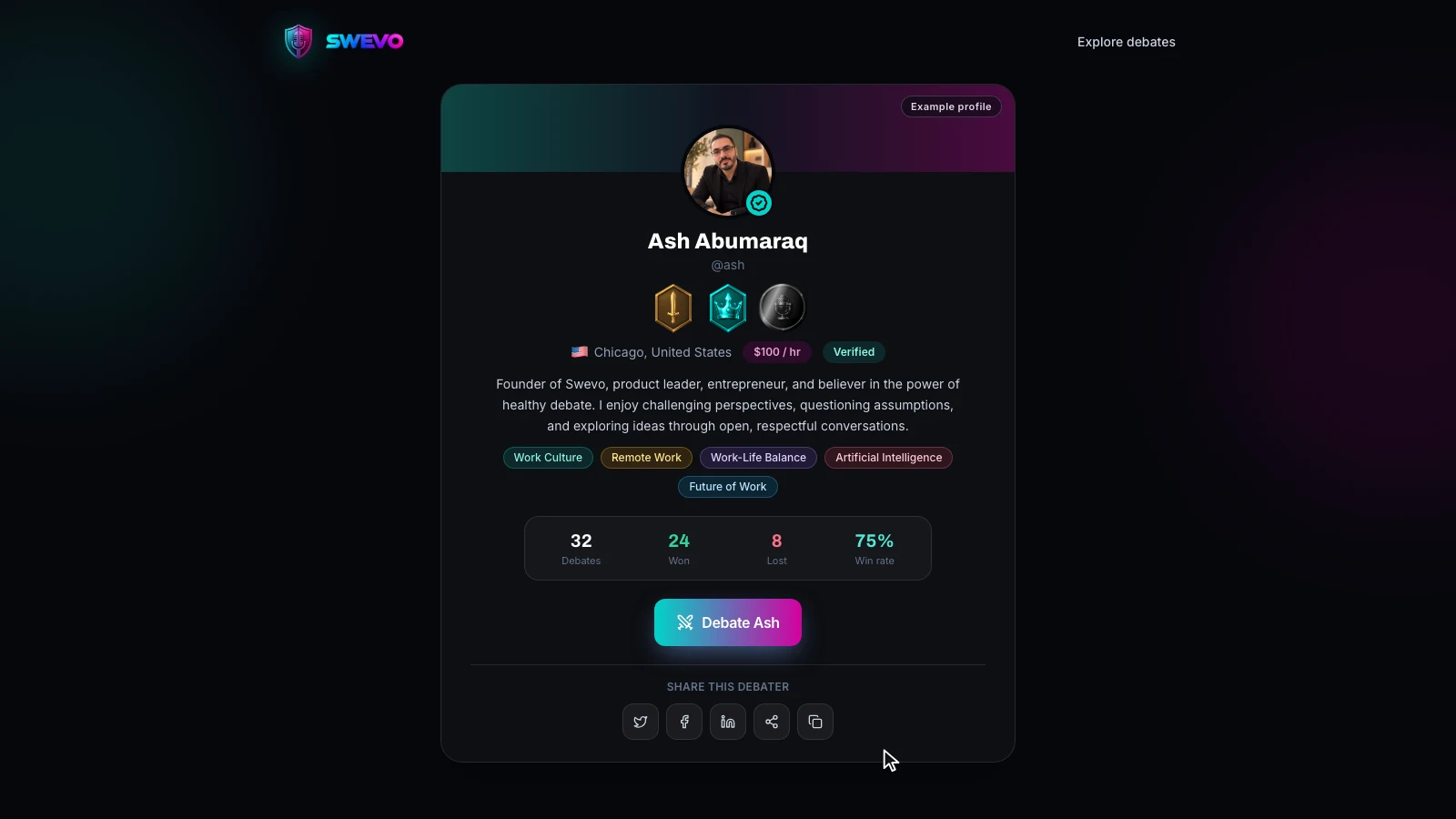
Everything on that page comes from one place: the Profile page in your dashboard. Fill it in once, and it follows you everywhere on Swevo, from debate cards to the arena.
When you open your dashboard for the first time, a Get Started guide lists a handful of onboarding steps. One of them is Build Your Profile, worth 50 Coins.
Your profile counts as complete when it has all six of these:
- Display name
- Username
- Profile photo
- A short bio
- Country
- At least one category
The guide shows exactly which ones are still missing. Click Profile in the sidebar to start.

On the right side of the Profile page is a preview card. Click the upload button on your avatar and choose an image file under 5 MB.
Use a clear photo of your face. Your cat may be adorable, but people want to see who they are debating, and a real face makes a challenge or booking request far more likely. Click Save Profile at the end to keep it.
Step 2: Display name and username
These two look similar but do different jobs.
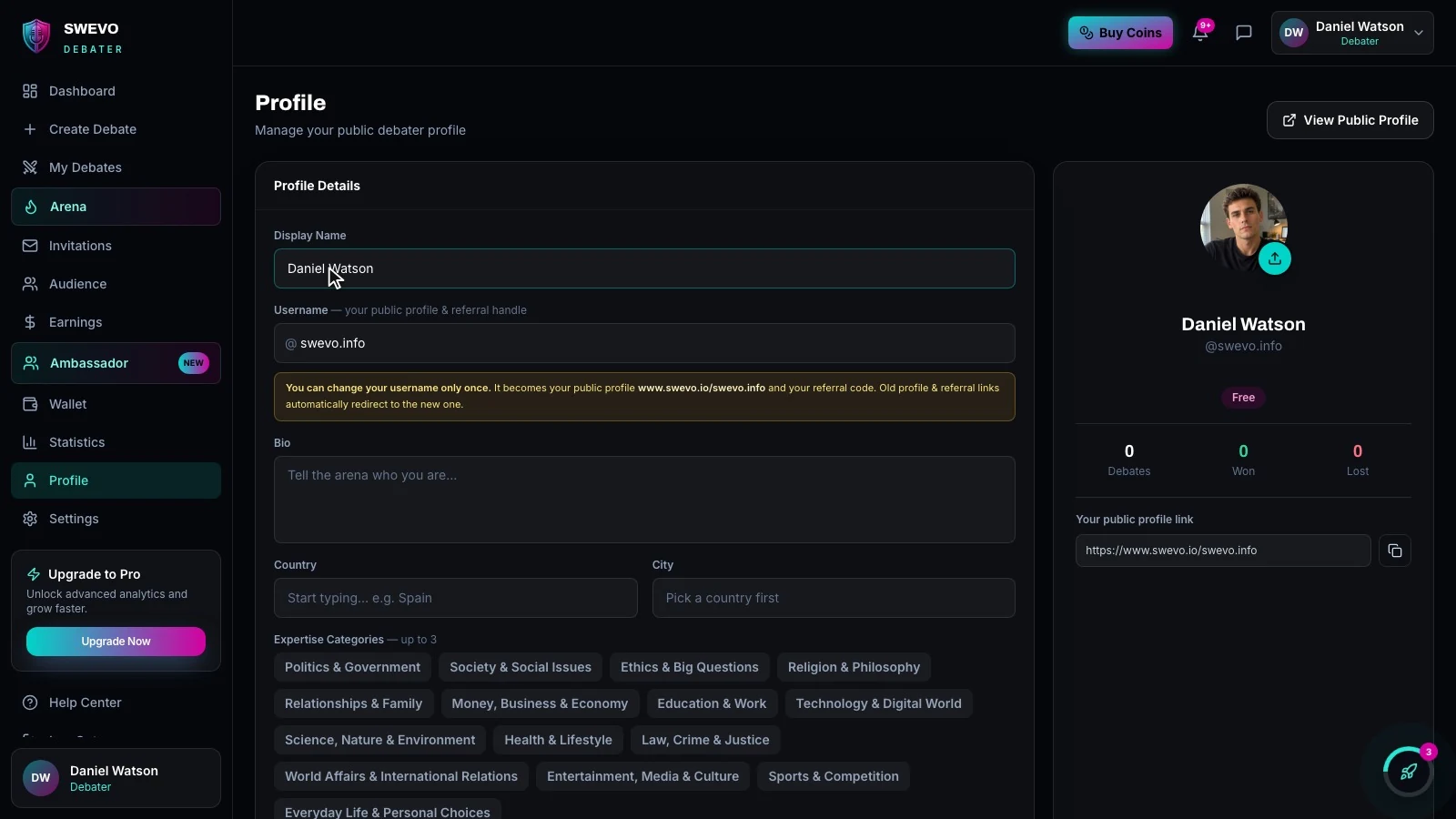
- Display name is how you appear across Swevo: on your profile, on debate cards and in the arena. You can edit it any time.
- Username is your public handle and your profile link. Swevo picks one for you when you sign up, and you can change it once.
To change your username, type the new one. Swevo checks availability as you type and shows a green tick when it is free. Click Update username, then Confirm. Usernames can use lowercase letters, numbers, dots, dashes and underscores.
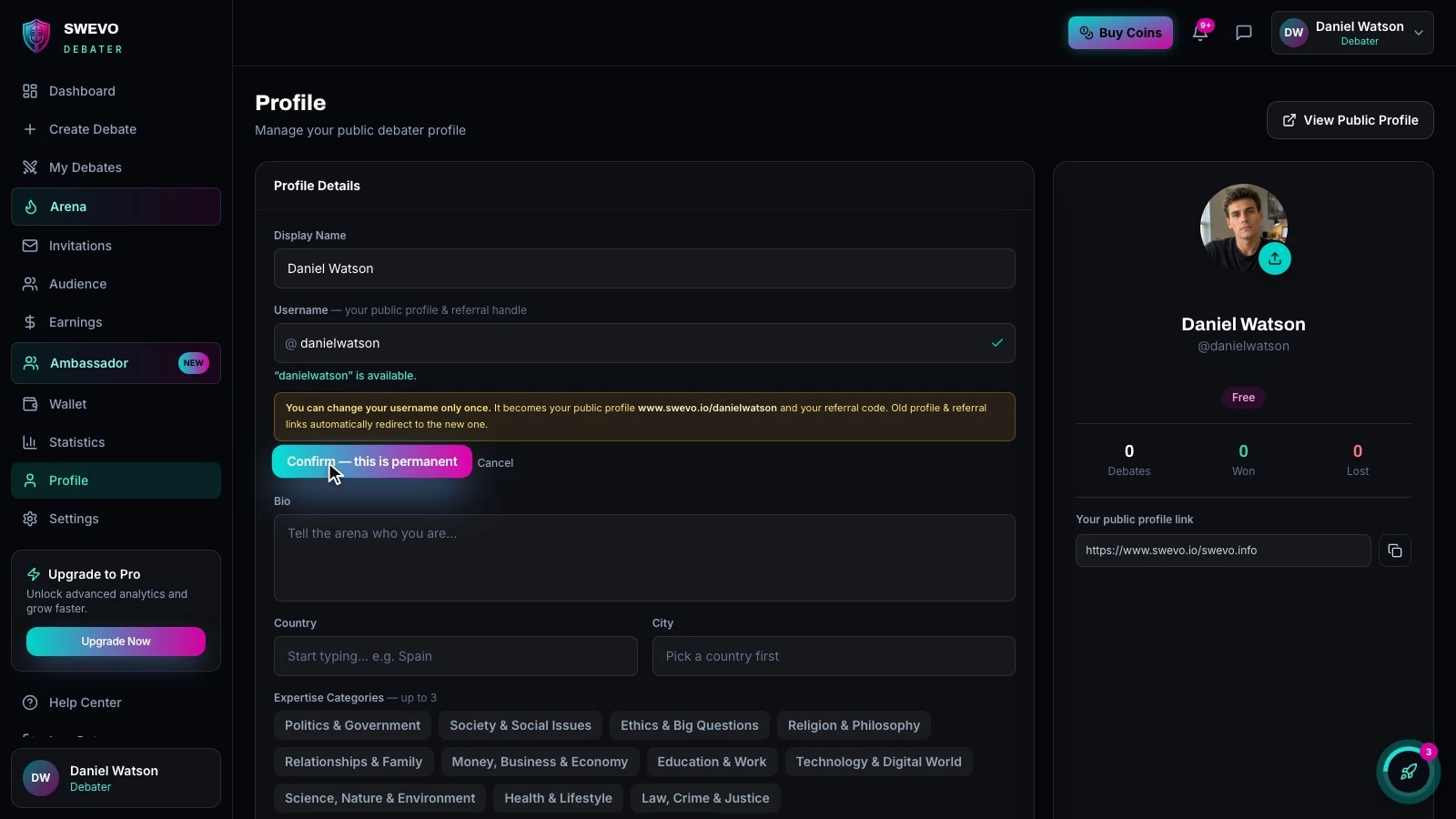
Because the change is permanent, choose wisely. The good news: old profile and referral links automatically redirect to your new one, so nothing you have already shared breaks.
Tell the arena who you are and what gets you fired up. Two or three sentences is plenty.
The best bios sound like the person who wrote them. Our example debater went with: "Sports nut and lifelong contrarian. I'll defend Messi over Ronaldo, pineapple on pizza, and why your team is overrated. Bring your best case." It is short, specific and gives people a reason to challenge him.
Step 4: Country, city and categories
Start typing your country and pick it from the list, then choose your city.
Next, pick up to three expertise categories, such as Sports & Competition or Technology & Digital World. Once you pick a category, its subcategories appear, and you can choose up to eight of them. Your subcategories show up as tags on your public profile.
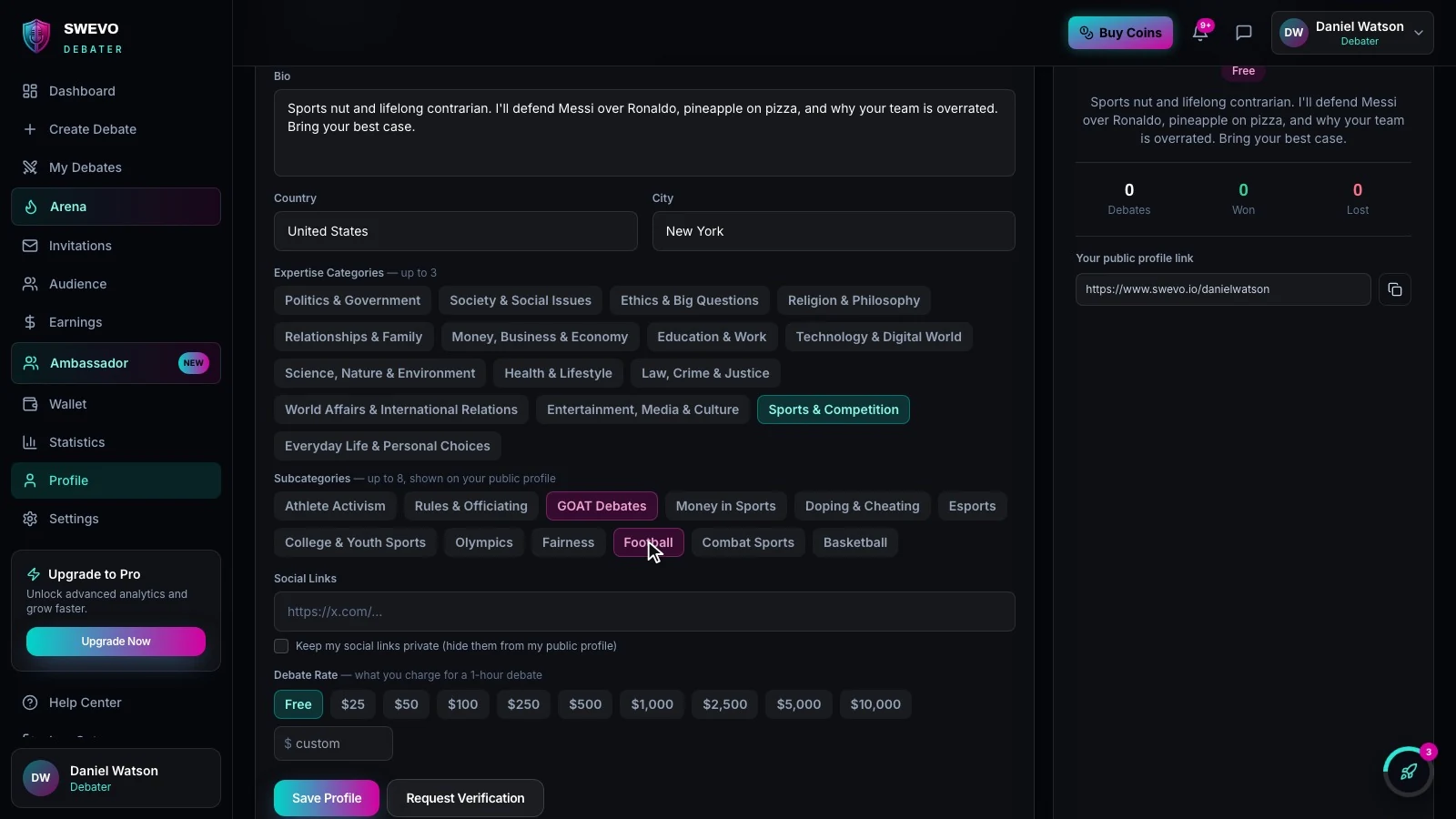
This is how the right audience, and the right opponents, find you. Someone browsing debate categories for GOAT debates is far more likely to land on your profile if you have tagged it.
Add the social link you are most active on, so fans can follow you there. Swevo shows it on your public profile.
Rather keep it to yourself? Tick Keep my social links private. The link stays saved on your account but is hidden from your public profile.
This is where your profile starts working for you. Your debate rate is what you charge for a one-hour debate.
Pick Free, choose a preset from $25 to $10,000, or type a custom amount. Once a rate is set, people can send you a paid debate request with their motion and format. You choose which requests to accept, and you keep 85% of every booking. Swevo shows the exact amount as you type: at $150, you keep $128.
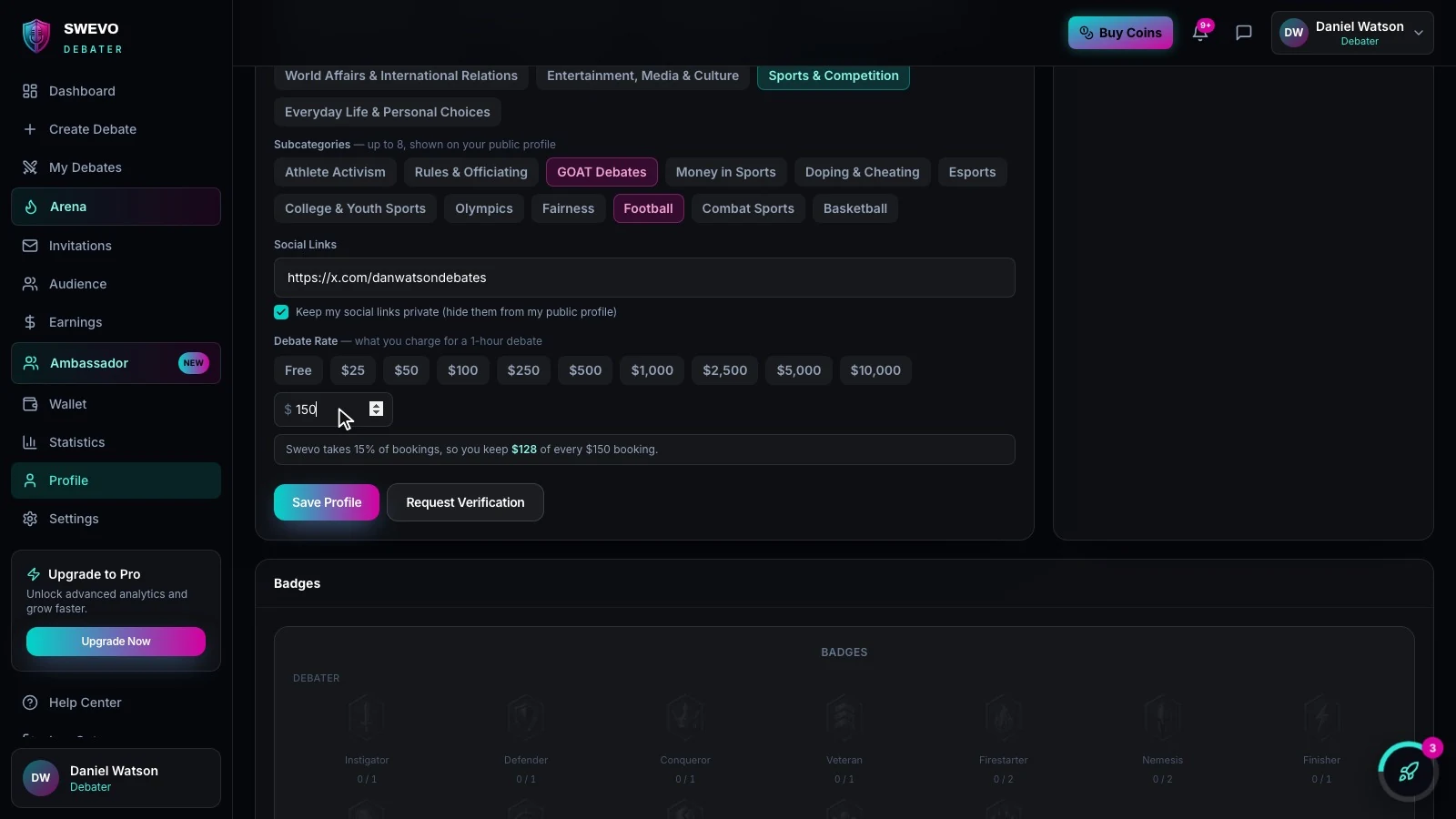
If you would rather debate for the love of it, leave it on Free. You can change it whenever you like.
Step 7: Save and collect your 50 Coins
Click Save Profile. If all six required fields are filled in, the Build Your Profile step completes and 50 Coins land in your wallet.
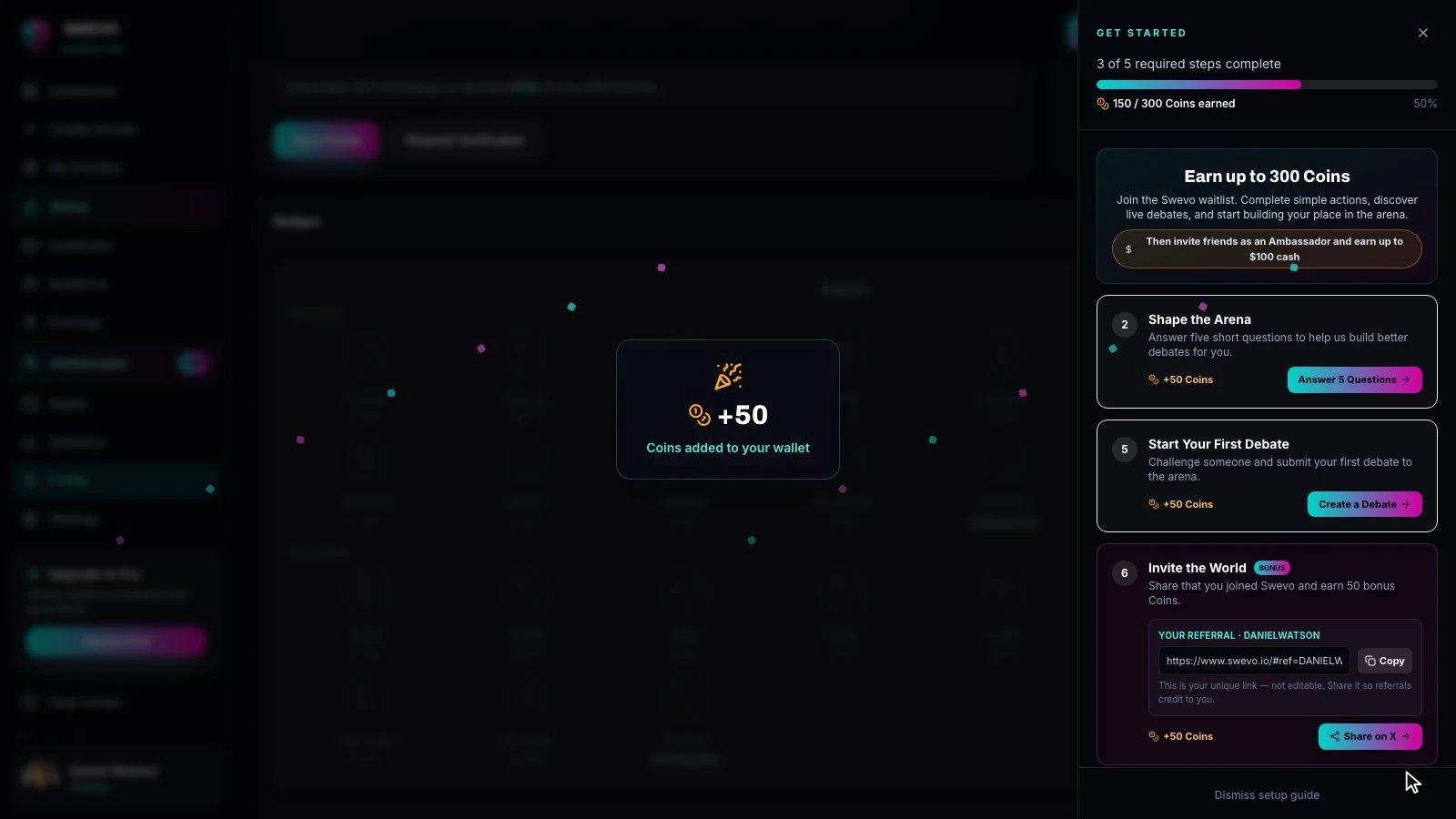
You can see the credit in your Wallet, listed as "Onboarding: Build Your Profile". Coins are how you back the debaters you are cheering for: spend them in the arena on tips and gifts during a live debate, and the debater keeps 65%.
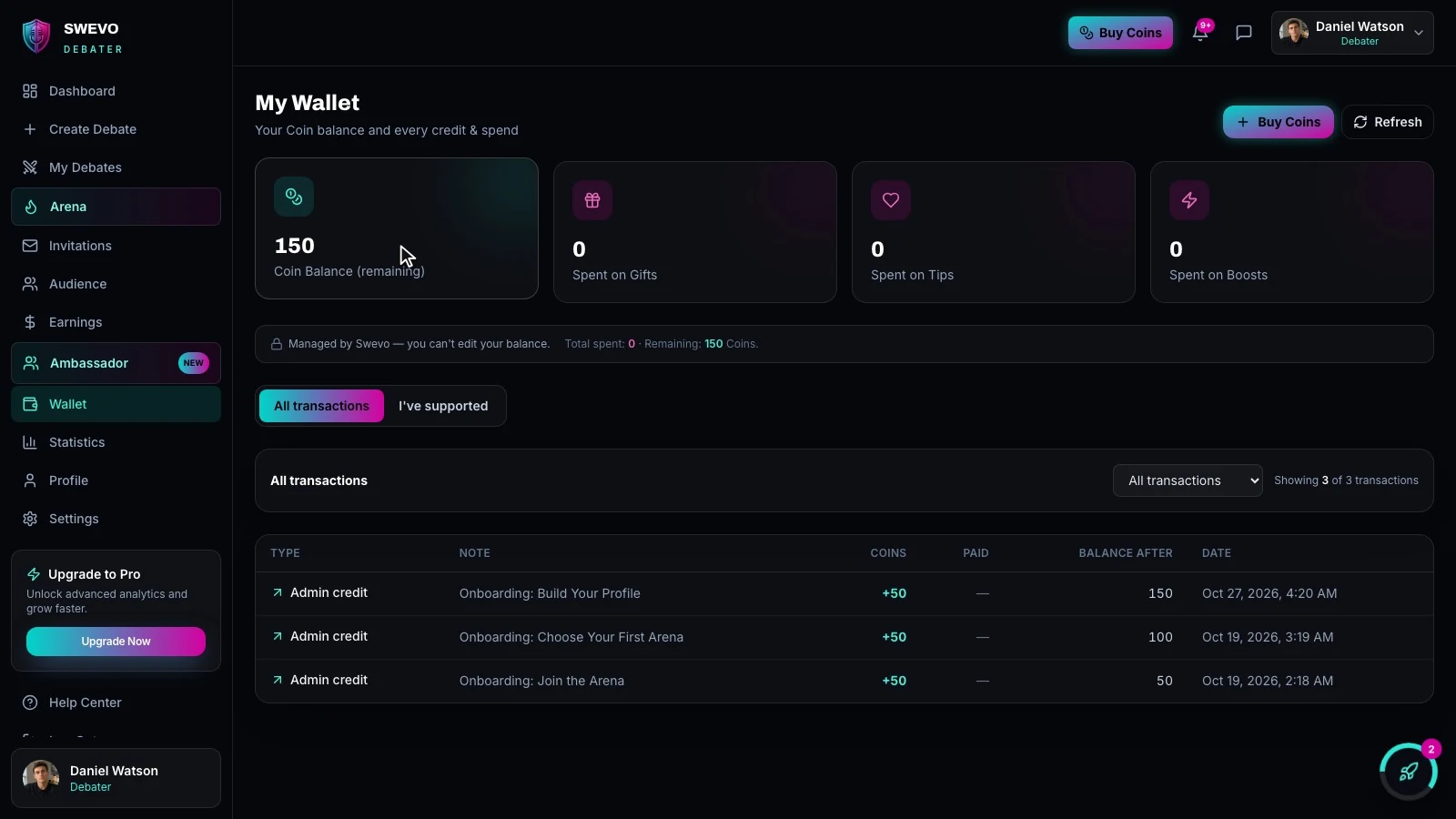
Finish the rest of your onboarding steps and you can earn up to 300 Coins in total.
Scroll down the Profile page and you will find your badges. There are 20 to earn:
- 11 for debating, such as Instigator (challenges sent), Defender (challenges answered), Conqueror (debates won) and Veteran (debates completed).
- 9 for the audience, such as Heckler (commenting across debates), Loyalist (following one debater's debates), Judge (voting) and Lurker (watching).
Every badge levels up through six tiers: Bronze, Silver, Gold, Teal, Magenta and Obsidian. Hover over any badge to see what it tracks and how close you are to the next tier.
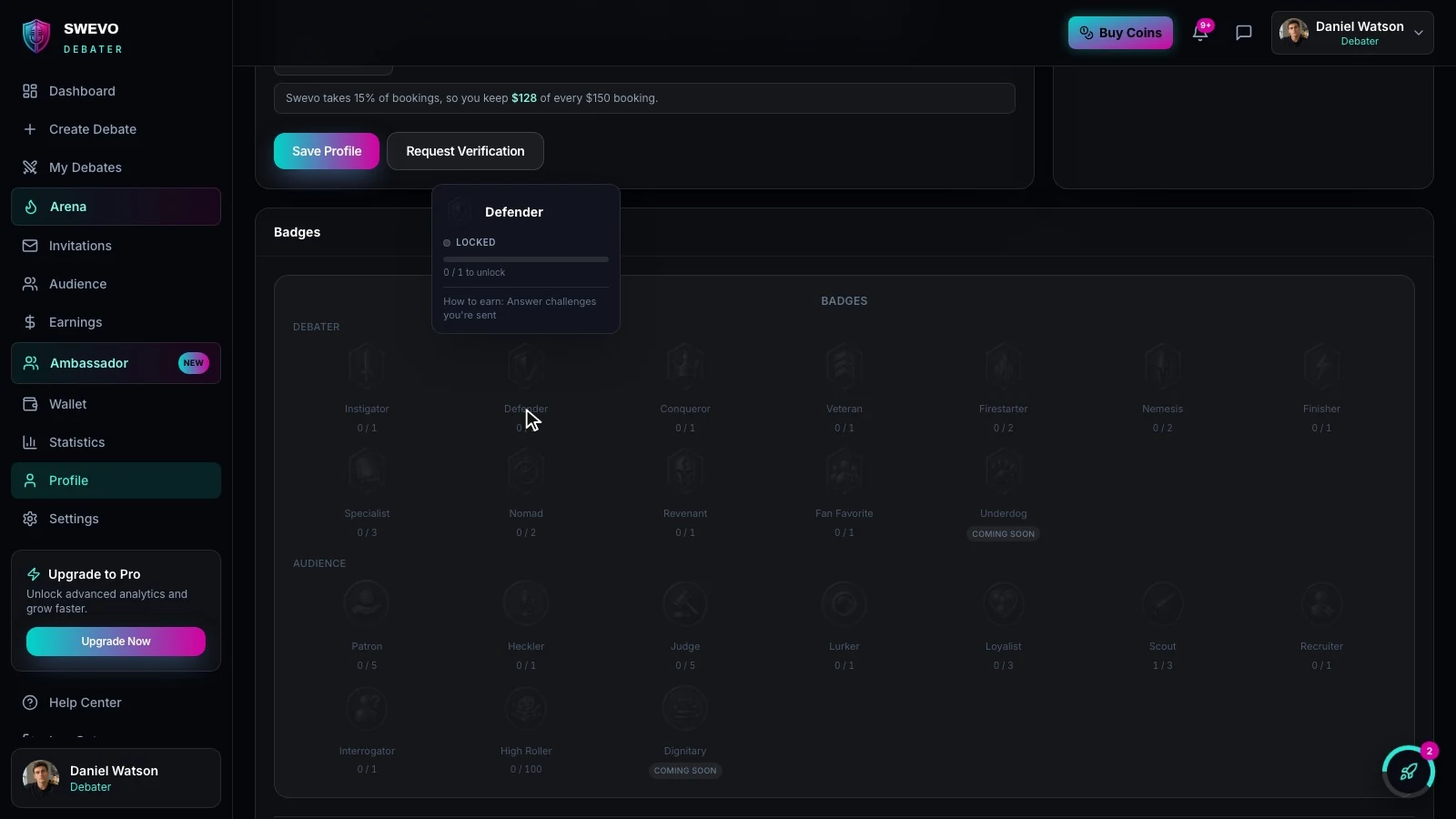
Once you have earned a few, pick up to three for your showcase. They appear next to your name across the arena, so choose the ones that say the most about you. Are you an Instigator or a Defender? A Heckler or a Loyalist?
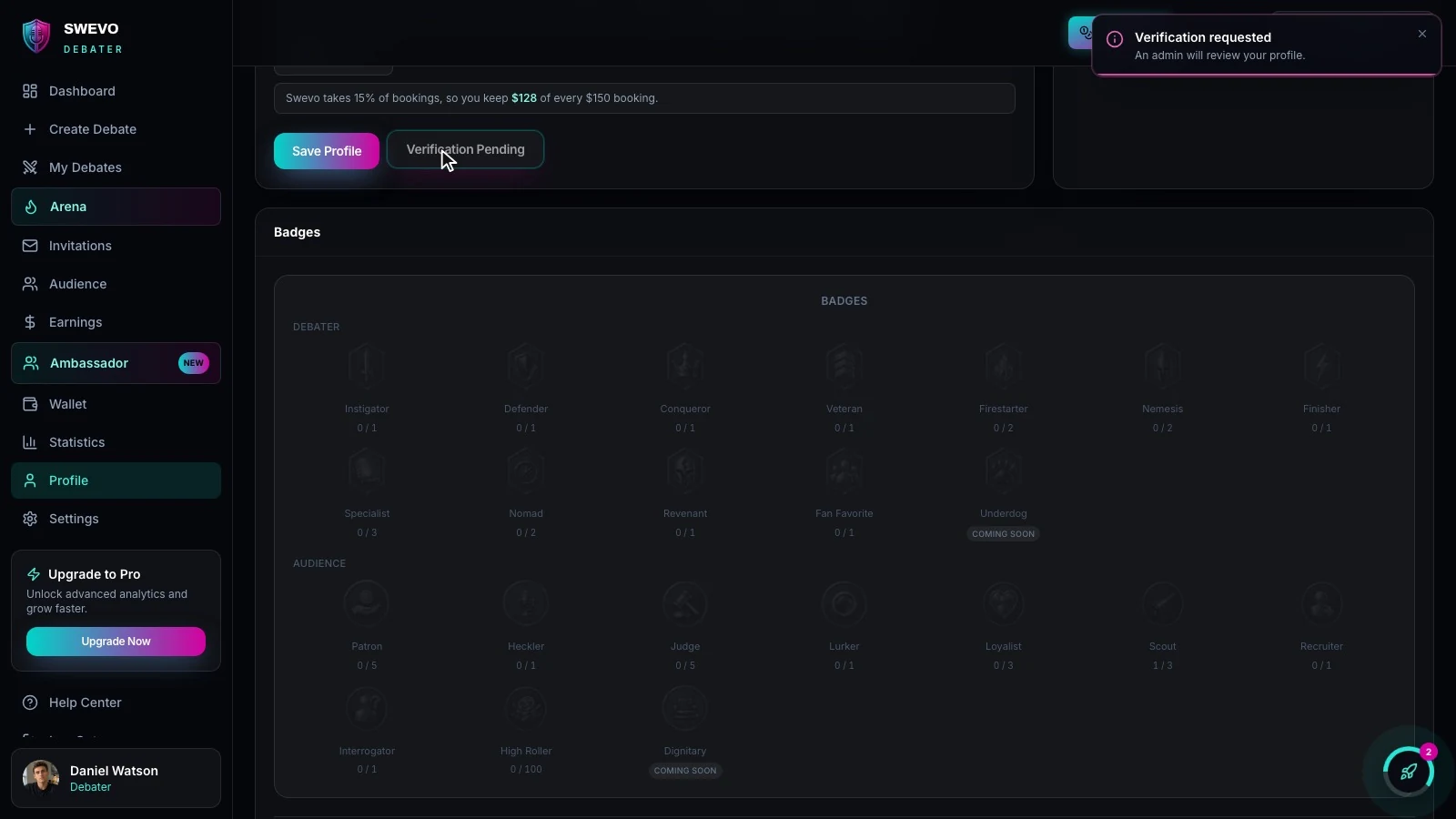
Next to Save Profile is Request Verification. Click it and the Swevo team reviews your profile. Once approved, you get the verified badge on your avatar, which tells challengers and bookers they are dealing with the real you.
Step 10: View and share your public profile
Click View Public Profile at the top of the page to see exactly what everyone else sees. Your public profile lives at swevo.io/your-username and includes a Debate button, so anyone who visits can challenge you directly.
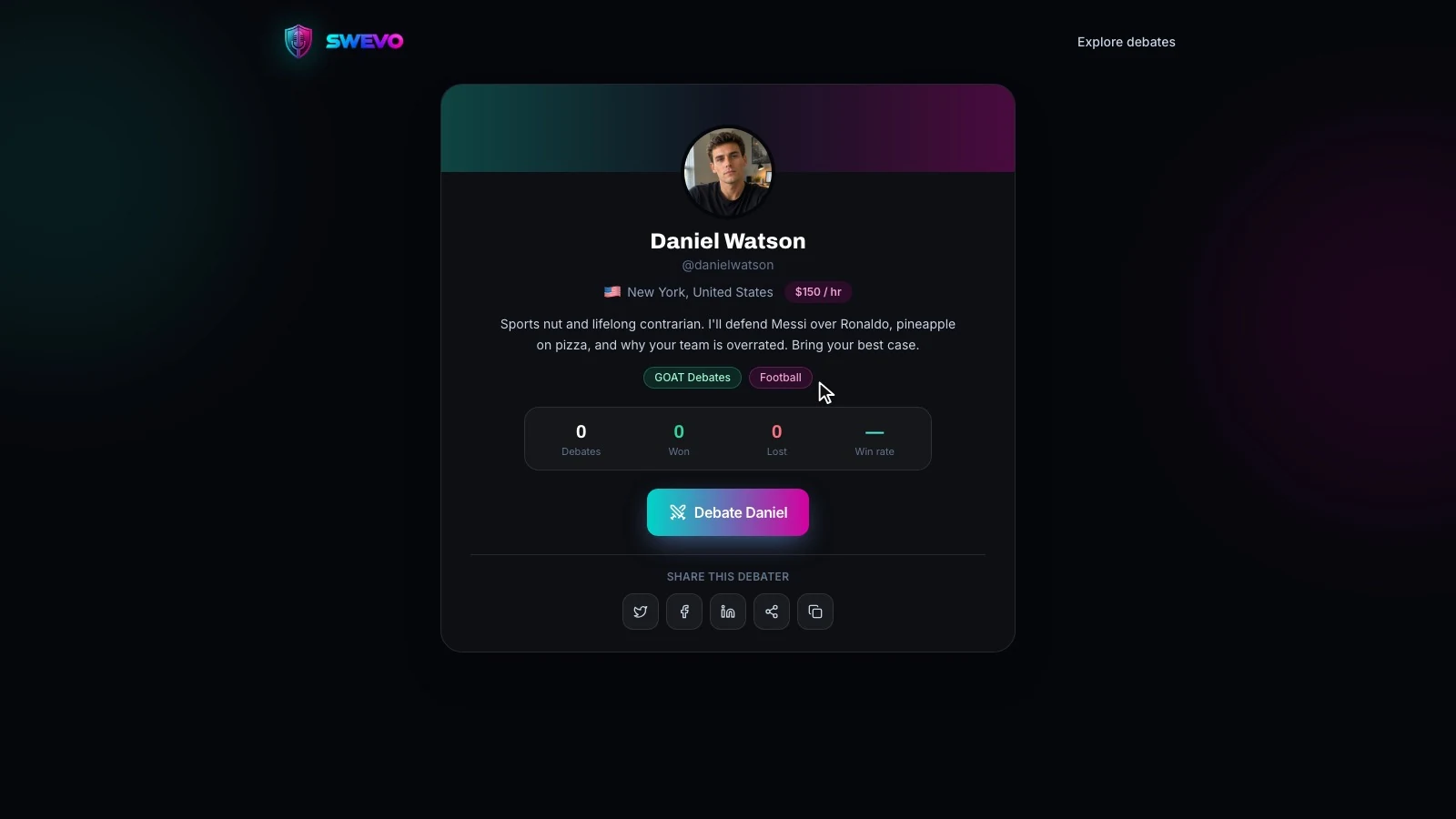
Copy your link from the preview card, or use the share buttons on your public page, and post it everywhere: your social bio, your email signature, your group chats. The more people see it, the more people can follow you, challenge you or book you.
Ready for your first challenge? Learn how to create a debate on Swevo, or browse live and upcoming debates to see the arena in action.